Four New Themes: Graphite, Linen, Sandstone and Obsidian
The app you open six times a day should look like something you chose. Four new palettes, each tuned chart by chart, not just recoloured.
You open WhispCal a few times a day, for ten seconds at a time. That is a strange kind of app to live with. It is not something you sit inside like a document. It is something you glance at, in a kitchen, on a train, in a gym with bad lighting.
So it should look like something you picked.
The four
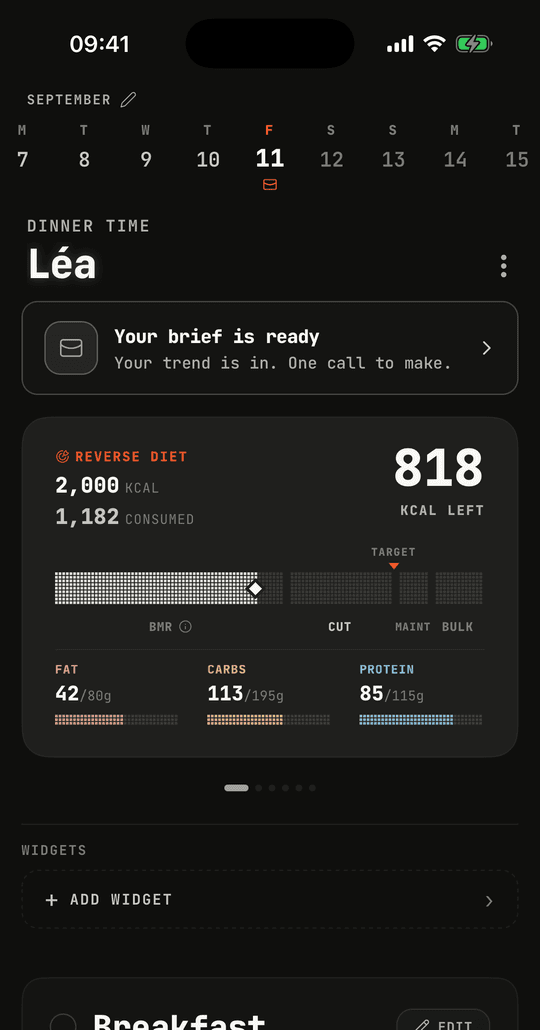
Graphite is the dark one we use ourselves. Warm charcoal surfaces, one chromatic event on the screen, and it is tomato. Your target, your phase, the button you press. Everything else gets out of the way.
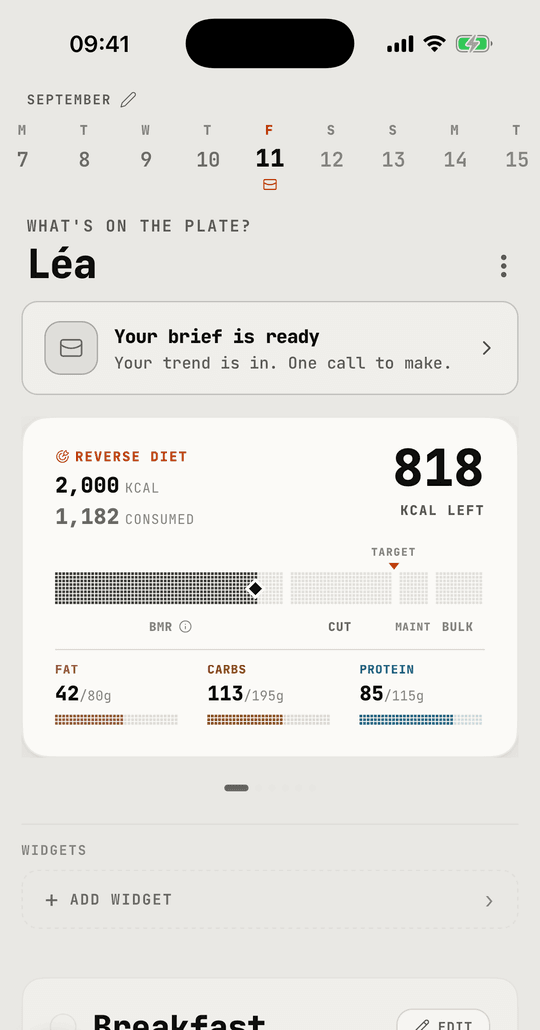
Linen is the same idea in daylight. Paper-warm rather than clinical white, because a nutrition app that looks like a spreadsheet makes logging feel like admin.
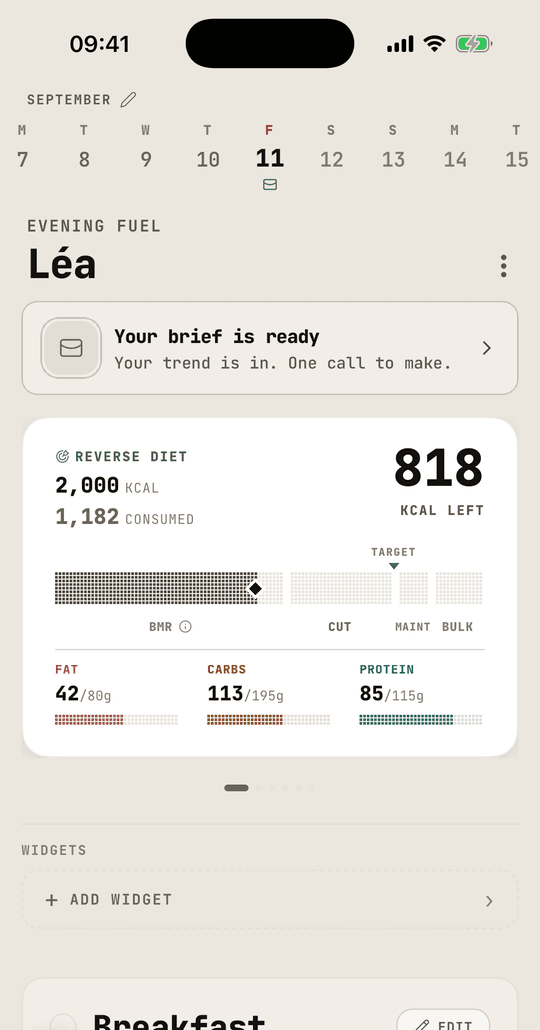
Sandstone is warmer again. If Linen reads a little cool to you, this one sits closer to sand than to paper.
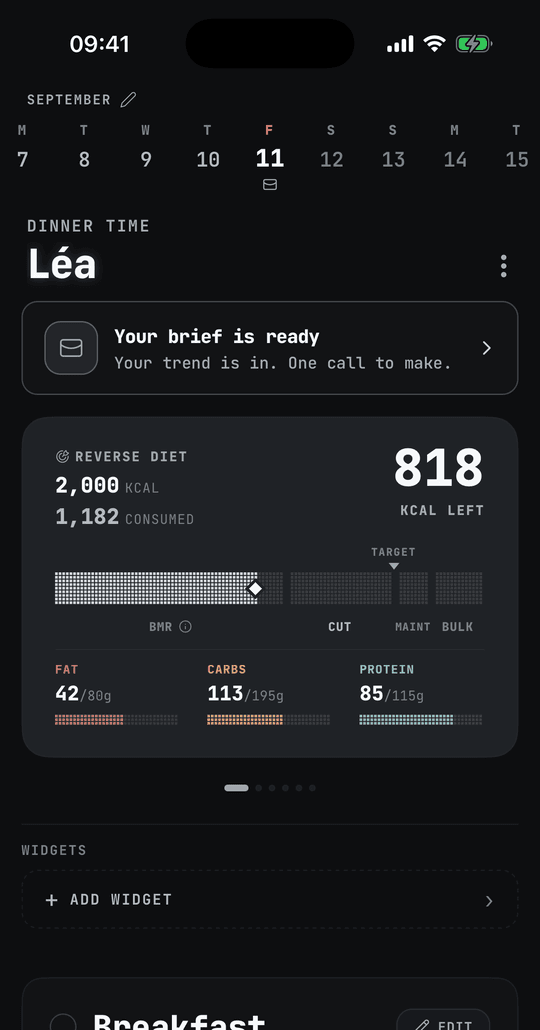
Obsidian goes nearly black, with amber where Graphite puts tomato. On an OLED screen the background genuinely switches pixels off, so it is the one to pick if you log at night.
Re-tuned, not recoloured
Swapping a theme is easy if all you do is flip the background. We did not do that.
Every theme re-tunes the things that carry meaning: the calorie bar, the metabolic zone strip, the macro bars for fat, carbs, protein and fibre, the colour that says you have gone past your target. Each of those has to stay readable against its own background, and each has to stay distinguishable from the others. That is four jobs per colour, per theme.
The alert colour is the clearest example. Going over your target used to show up properly on the dark themes and wash out on the light ones. It now reads on all of them.
Where to find them
Settings, then Theme. The app reloads with the new colours and keeps them for that account, so switching phone does not lose the choice.
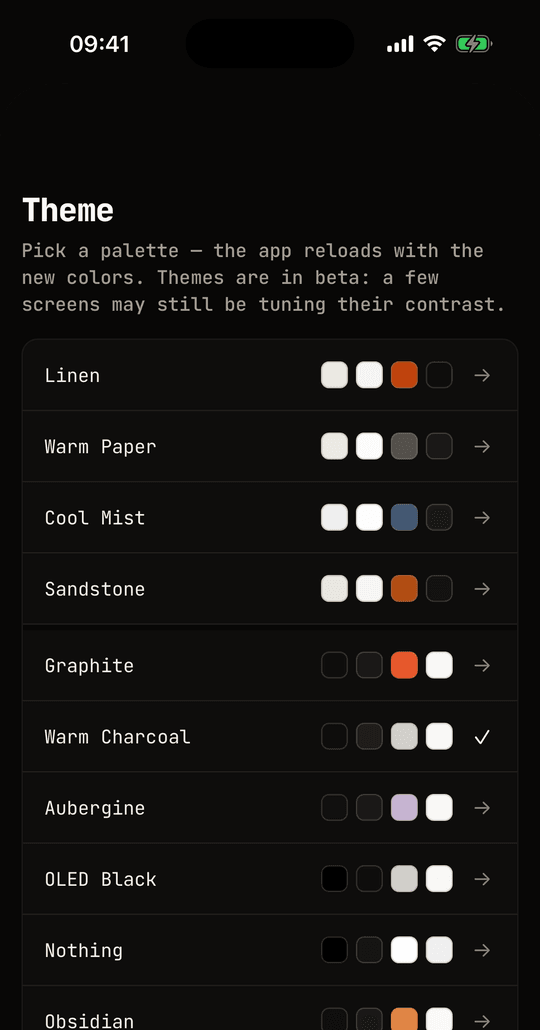
Ten palettes are in there now, including the older Cool Mist, Aubergine, OLED Black and Nothing. Themes are still labelled beta while we finish auditing contrast on a few deeper screens. If you find one that reads badly, tell us which theme and which screen, and it gets fixed.