Make it yours: themes, badges, and a real look at your Burn
Four hand-tuned themes, streaks and badges that reward turning up, and Real Burn, which measures what you spend instead of guessing it from a formula.
This stretch went on the parts of WhispCal you notice before you read a single number. How it looks, what it gives you back for turning up, and how honestly it reads your body.
Four themes, tuned chart by chart
A theme is not a recoloured background. Switch one and every calorie zone, macro bar, chart line and badge gets rebalanced so the contrast and the hierarchy still hold. Pick the one that suits your phone.
- OLED Black. True black that disappears into the bezel and costs almost no battery.
- Nothing. Stripped back and monospaced.
- Aubergine. Deep and warm, for logging late.
- Cool Mist. A bright, airy light theme.
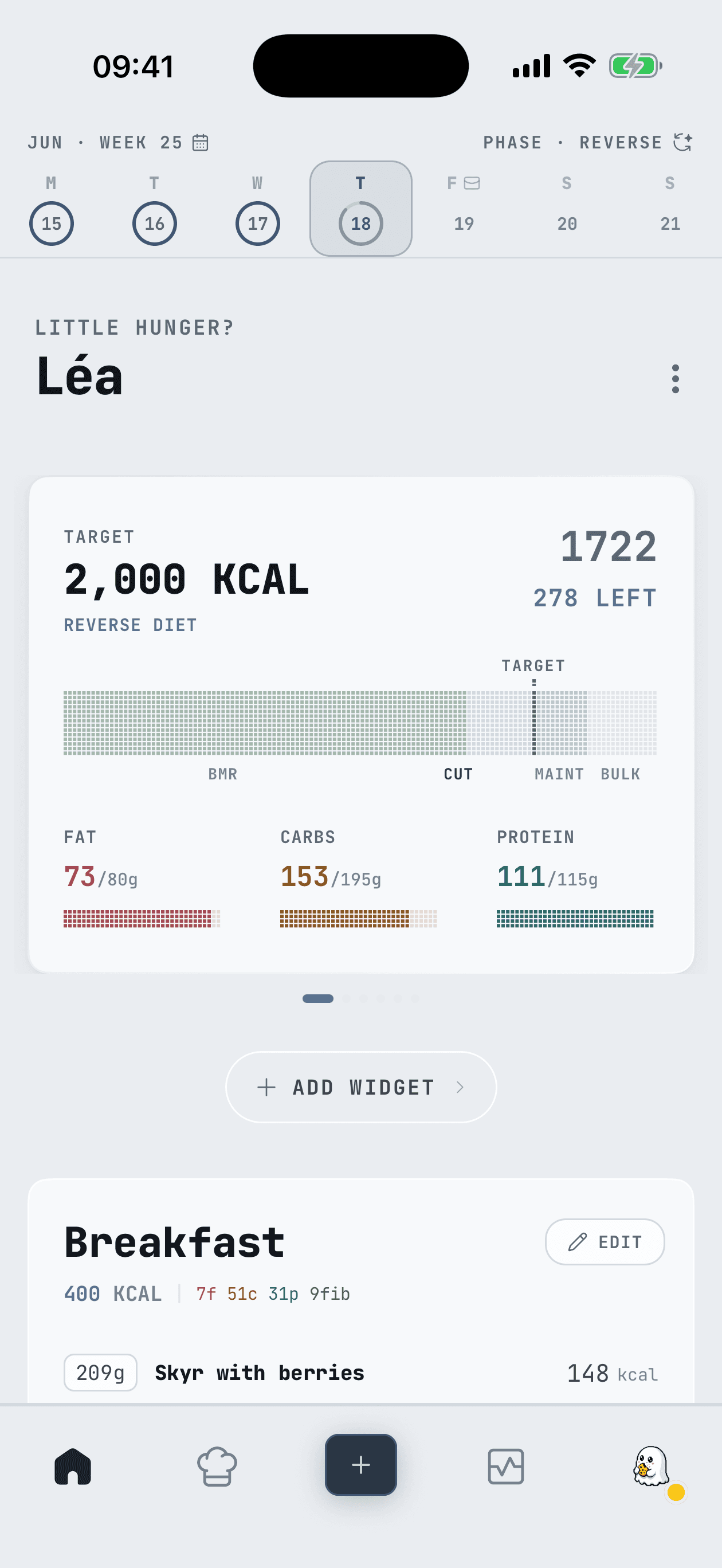
Switch whenever you like in Settings → Appearance. We add more.
Streaks and badges
Tracking only works if you keep turning up, so the habit loop is in the app now. Your streak grows on every day you log, the week fills in dot by dot, and badges unlock as the meals add up. First Bite at one end, 1,000 Meals at the other.
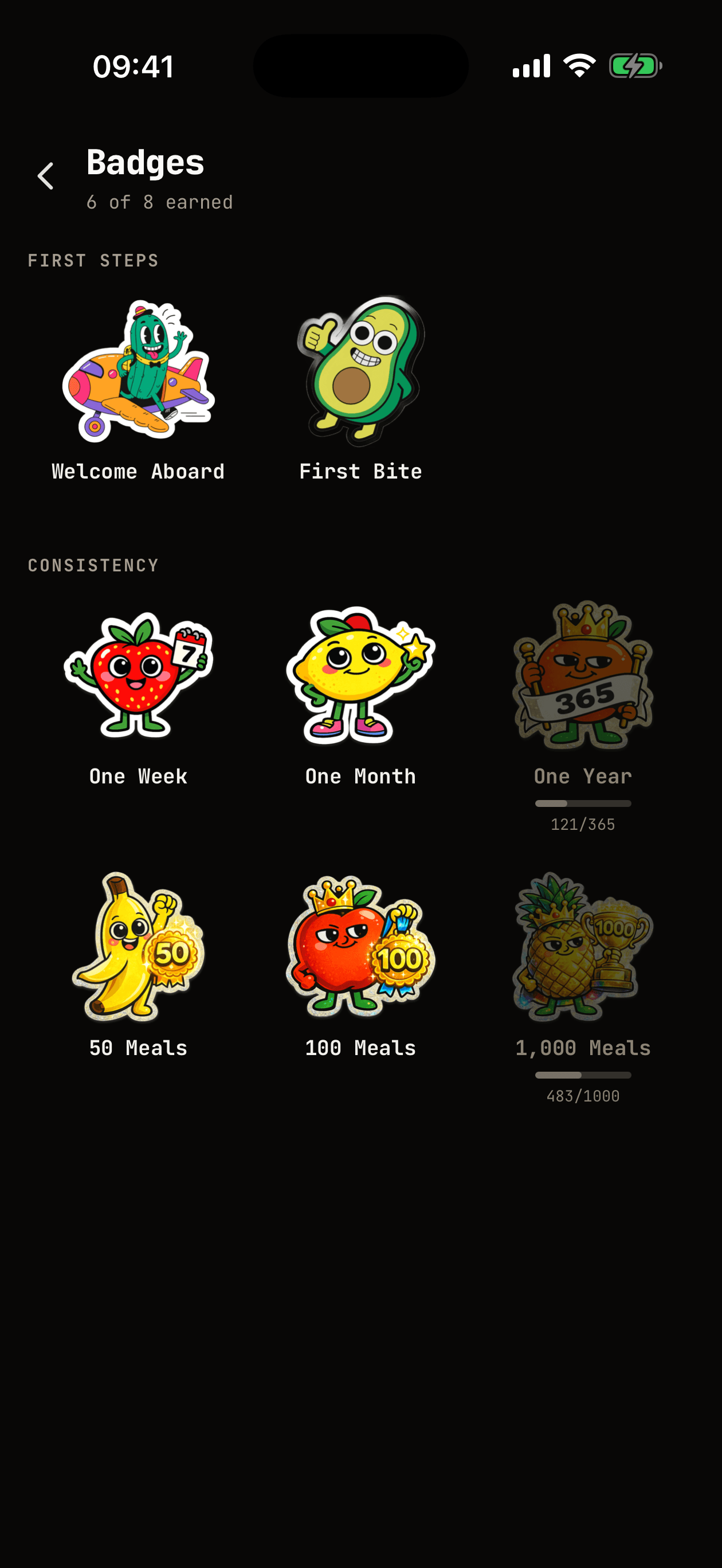
It is a small thing. It is also the difference between week one and month four.
Real Burn, measured rather than guessed
Every other calorie counter hands you a number from a formula and never looks at it again. Real Burn reads your own weight trend and your own intake, works out what you actually spend, and tells you how sure it is.
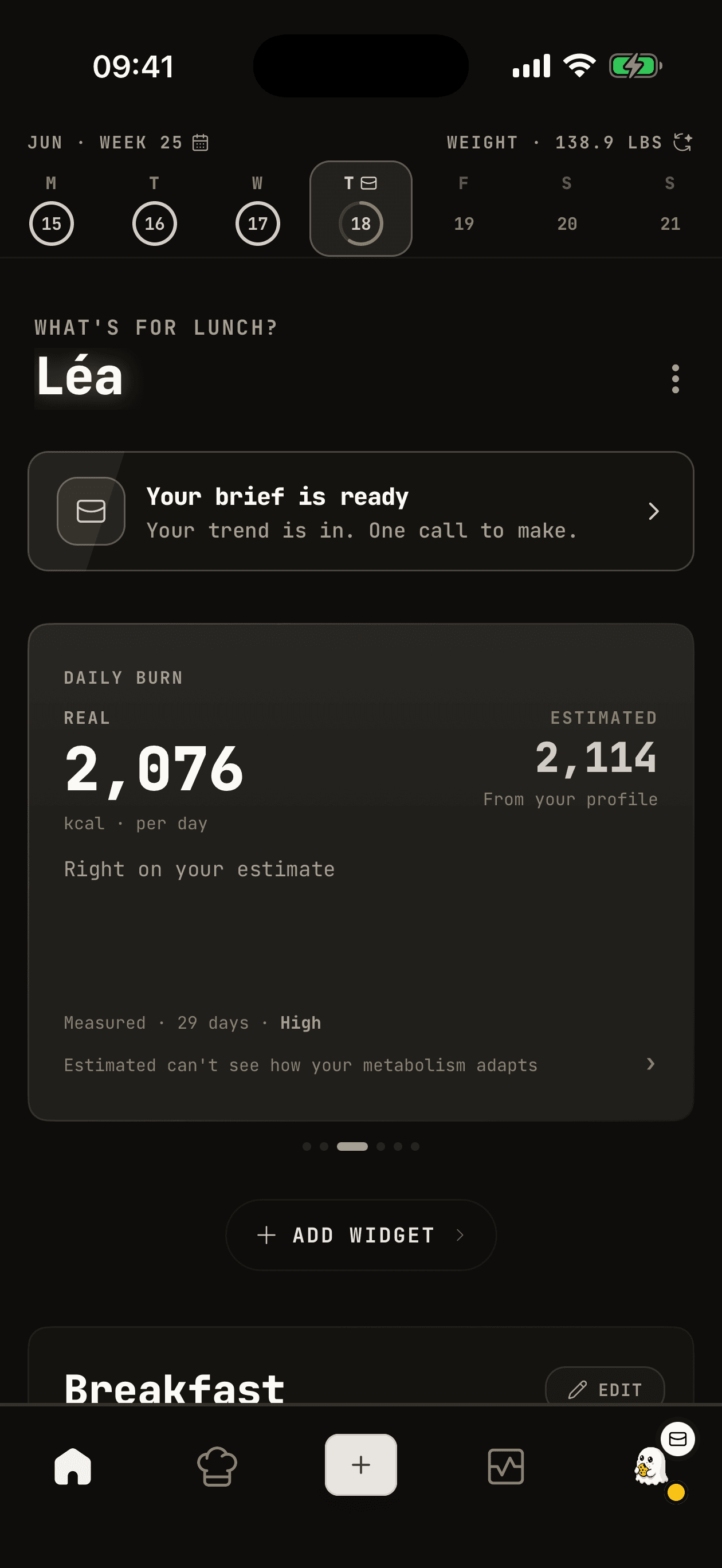
Real Burn: 2,076 kcal a day, measured over 29 days. Right on your estimate, for now. The moment a diet starts to bite, the measured number moves first and you see it.
That is the whole point. What you spend is not a fixed number, so the app should stop pretending it is.
And a sharper look throughout
The screens got a pass. Tighter type, calmer spacing, and a Home that puts your zone, your macros and your next move in one glance.
Update from the App Store or Google Play, then open Settings → Appearance. The core stays free.